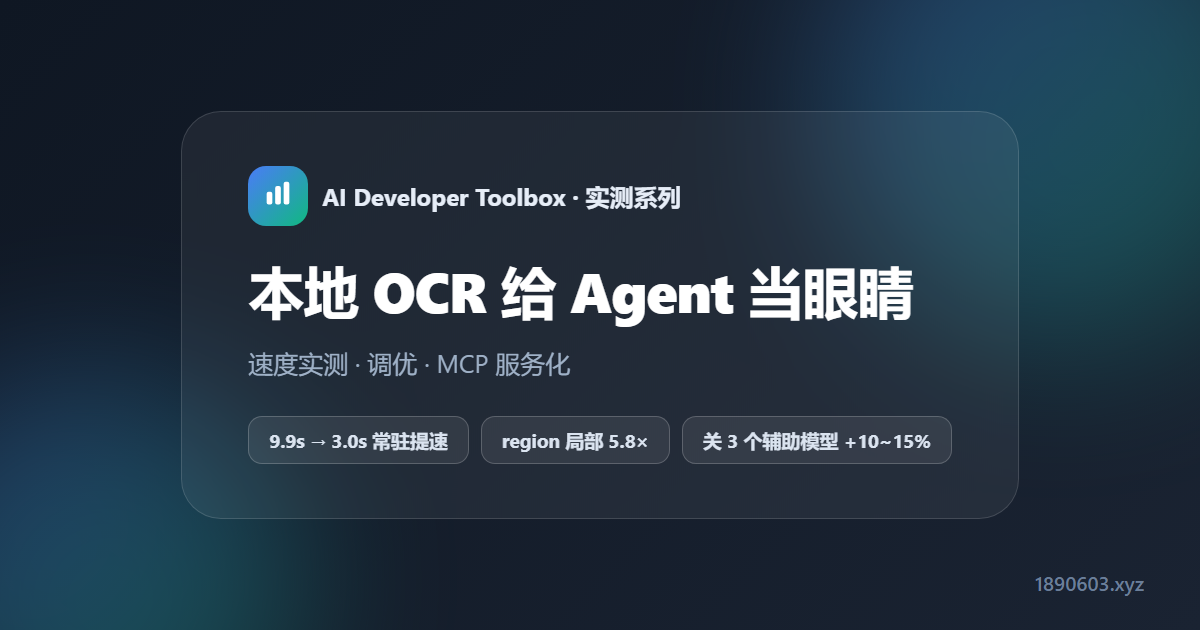
本地 OCR 给 Agent 当眼睛:速度实测、调优与 MCP 服务化

Agent 光能打字不够,很多时候它得看得懂屏幕上的字——按钮文案、价格、报错信息、验证码提示。云端 OCR 有隐私和网络依赖,本地 OCR 才是 Agent 的长期姿势。这篇把本机 PaddleOCR 从装环境到调优再到服务化的完整实测记录下来,全部数据来自 CPU 6 核无独显机器的实跑

环境:Windows / Python 3.13 venv / paddleocr 3.7.0 + paddlex 3.7.2 + paddlepaddle 3.2.0 / CPU 6 核无独显。2026-09 实测。

第一个坑:paddlepaddle 必须锁 3.2.0

系统只有 Python 3.13,Paddle 需要 3.x 轮子,所以建了独立 venv。装完 3.3.1 跑 PP-OCRv6 直接崩:NotImplementedError: ConvertPirAttribute2RuntimeAttribute not support ...(oneDNN 指令路径 bug)。降到 3.2.0 一切正常。而且脚本最顶部必须显式关 oneDNN,否则部分算子仍走那条路径:

python -m venv C:\paddleocr\venv
C:\paddleocr\venv\Scripts\pip.exe install paddleocr
C:\paddleocr\venv\Scripts\pip.exe install paddlepaddle==3.2.0   # 必须锁 3.2.0
import paddle
paddle.set_flags({'FLAGS_use_onednn': 0})
from paddleocr import PaddleOCR
ocr = PaddleOCR(lang='ch', use_doc_orientation_classify=False,
                use_doc_unwarping=False, use_textline_orientation=False)

顺带两个接口变化:3.x 用 ocr.predict(img)(旧 ocr.ocr() 已废弃),返回 dict 含 rec_texts(文字)、dt_boxes(每行 4 点检测框,像素坐标)、rec_scores(置信度)。Windows 控制台是 GBK,识别结果带特殊字符会 UnicodeEncodeError,脚本里 sys.stdout.reconfigure(encoding='utf-8') 解决。

真实截图速度表:7 张图一次跑完

图片分辨率大小文字数字符数耗时
cloak_login1280×800171KB17943.98s
step11280×800171KB18954.07s
home_login1440×1000321KB12975815.25s
rank_cover900×1883221KB100104313.17s
step_now1280×800764KB191142520.38s
GPU 天梯图2160×3382746KB75140024.29s
detail_full (12MB)1265×2052912446KB6443819.74s

中英文混合识别很准(京东M.2固态硬盘大模型显卡 AI 算力天梯 都正确)。两个规律:

  • 速度主要由像素量和文字框数决定,与文件体积弱相关——12MB 长图 19.7s,比 746KB 的天梯图(24.3s)还快
  • 默认 max_side_limit=4000:超长边自动缩小,所以超大文件不会按比例爆炸变慢
  • 图太小会漏检:同图缩到 0.25×(320×200)只检出 2 个文字 vs 原图 191 个

两个线性规律:像素量 & 文字量

控制变量跑了两组,用来预测耗时很实用。先看同一张图缩放(文字密度不变):

缩放分辨率百万像素文字数耗时
0.25×320×2000.0621.62s
0.5×640×4000.26909.67s
1.0×1280×8001.0219120.63s
2.0×2560×16004.1020628.89s

耗时与百万像素近似线性(0.06→4.10MP,耗时 1.6s→28.9s),但过小会丢字。再看固定 1200×1600 改变文字行数:

行数识别文字耗时
554.46s
20207.26s
503810.86s
1003811.40s

识别阶段耗时随文字框数近似线性增加;50 行后漏检(38 个),说明文字太密时检测环节开始丢框——Agent 读图前先把图放大一点更稳妥。

白赚 10~15%:关掉 3 个辅助模型

文档方向分类、UVDoc 弯曲矫正、文本行方向分类这 3 个辅助模型只对旋转/扫描件有用,普通截图(竖直、无弯曲)关掉零影响,反而更快、召回更好:

配置3 张图总耗时初始化识别文字数
原版(全开)48.8s1.94s191/129/100
关掉 3 个辅助模型44.0s1.31s202/152/100

快约 10–15%,识别文字反而更多(191→202、129→152,召回更好)。推荐配置见上面的初始化代码块。

试过但没用的开关

  • 批处理 predict([img1,img2,...]):CPU 单流,无加速(44.2s ≈ 分别跑)
  • text_det_limit_side_len 调小:只对超巨图有效,普通截图帮助极小还可能漏小字(实测 960 → 45.2s)
  • 线程数:默认已用满 6 核,再调无意义

真正的提速途径

  • NVIDIA GPU + paddlepaddle-gpu:可快 5–20 倍。本机只有 AMD 核显,Paddle 在 Windows 不支持,故不可用
  • 更轻的 mobile 模型:约再降一半,但有轻微精度折损;3.x 封装没暴露模型名参数,暂未采用

给 Agent 用:常驻服务化(9.9s → 3.0s)

Agent 要反复读图,每次都新开进程 + 重新加载模型(~6.5s)根本不行。改成模型常驻内存的 HTTP 服务,加载只付一次,之后每次只付推理:

场景改造前(每次新进程)改造后(常驻服务)
小图 1920×1080 单次识别~9.9s(含 6.5s 模型加载)~3.0–3.4s(纯推理)
12MB 大图 连续 3 次每次均含 6.5s 加载9.51s / 9.23s / 9.24s(无加载尖峰)
# 启动常驻 OCR 服务(模型加载约 2.6s,之后常驻内存)
$env:FLAGS_use_onednn = "0"
C:\paddleocr\venv\Scripts\python.exe C:\mcp-server\engines\ocr_service.py
# 健康检查
Invoke-RestMethod http://127.0.0.1:8200/health

更进一步,这个服务通过 MCP 暴露给本机 opencode 和局域网其他机器:ocr_extract_text(提取)、ocr_locate_text(定位关键词)、ocr_visualize(画框)、ocr_smart_region(先定位再裁局部)。

region 局部识别:再快 5.8 倍

推理耗时 = 像素量 + 文字框数,只识别局部区域就能大幅砍掉两者。实测(模型已热):

图片全图局部 region提速
大图 12.7MB (1265×20529)10.2s[0,0,900,700] → 4.9s~2×
小图 1920×10803.7s[0,0,400,300] → 0.6s~5.8×
# 方式 A:直接给 region(原图像素坐标)
ocr_extract_text(image_path="x.png", region=[x, y, w, h])

# 方式 B:给关键词,工具自动 locate 并裁出匹配框周围 margin 区域再识别
ocr_smart_region(image_path="x.png", keyword="价格", margin=20)

典型用法:先全图 locate 找到大致区域,再只裁小图反复识别某一块(价格、品牌、按钮),既快又省。region 坐标基于原图,无需考虑缩放。

跨机调用:base64 免共享文件系统

OCR 服务只能读本机文件路径。局域网里的其他机器(如 NAS)传路径会找不到文件——把图片 base64 编码传过去,服务端解码成临时 PNG 再识别:

import base64, json, urllib.request

img_b64 = base64.b64encode(open("/vol2/.../some.png", "rb").read()).decode()
req = urllib.request.Request("http://<LAN-IP>:8200/extract",
    data=json.dumps({"image_base64": img_b64}).encode(),
    headers={"Content-Type": "application/json"})
print(json.load(urllib.request.urlopen(req, timeout=60)))

注意:base64 体积约增 33%,超大图(>~15MB 原图)要留意 HTTP 请求体上限;MCP 端点无认证,仅适合可信内网。

资源占用:模型常驻的代价

服务工作集(物理内存)提交内存说明
local-tools-mcp (:8190)~86 MB~72 MB很轻
ocr-service (:8200)~616 MB~1.83 GB模型常驻代价

任务管理器默认「内存」列显示工作集 ≈616MB;「提交大小」列才看得到 ~1.8GB。工作集会随系统内存压力被 Windows 动态裁剪,但模型并未卸载。两个服务都用 nssm 装了开机自启。

总结

  • 装环境就一个坑:paddlepaddle 锁 3.2.0 + 脚本顶部关 oneDNN
  • 速度可预测:像素量 + 文字框数 ≈ 线性;Agent 读图前放大一点能防漏检
  • 白赚 10~15%:关掉 3 个辅助模型,召回反而更好
  • Agent 正确姿势:模型常驻服务 + region 局部识别 + base64 跨机,单次可到亚秒级
相关:本地视觉模型也能帮 Agent 看图,见视觉模型坐标识别实测;想给 Agent 配个本地调度员,看0.3B 小模型做 Agent 调度

An agent that only types is half an agent — often it needs to actually read the text on screen: button labels, prices, error messages, captcha hints. Cloud OCR adds privacy and network dependencies; local OCR is the long-term answer. This post documents a full PaddleOCR run on this machine — environment, tuning, serving — all measured on a CPU-only, 6-core, no-dGPU box.

Env: Windows / Python 3.13 venv / paddleocr 3.7.0 + paddlex 3.7.2 + paddlepaddle 3.2.0 / CPU 6 cores, no dGPU. Tested 2026-09.

Pit #1: paddlepaddle must be pinned to 3.2.0

The system only has Python 3.13 and Paddle needs 3.x wheels, so I built an isolated venv. Installing 3.3.1 crashed on PP-OCRv6: NotImplementedError: ConvertPirAttribute2RuntimeAttribute not support ... (a oneDNN instruction-path bug). Downgrading to 3.2.0 fixed everything. And you must explicitly disable oneDNN at the very top of any script, or some ops still hit that path:

python -m venv C:\paddleocr\venv
C:\paddleocr\venv\Scripts\pip.exe install paddleocr
C:\paddleocr\venv\Scripts\pip.exe install paddlepaddle==3.2.0   # 必须锁 3.2.0
import paddle
paddle.set_flags({'FLAGS_use_onednn': 0})
from paddleocr import PaddleOCR
ocr = PaddleOCR(lang='ch', use_doc_orientation_classify=False,
                use_doc_unwarping=False, use_textline_orientation=False)

Two API changes along the way: 3.x uses ocr.predict(img) (the old ocr.ocr() is deprecated), returning a dict with rec_texts (text), dt_boxes (4-point boxes per line, pixel coords) and rec_scores (confidence). The Windows console is GBK, so special chars in results throw UnicodeEncodeErrorsys.stdout.reconfigure(encoding='utf-8') at the top of scripts fixes it.

Real screenshots: 7 images in one sweep

ImageResolutionSizeTextsCharsTime
cloak_login1280×800171KB17943.98s
step11280×800171KB18954.07s
home_login1440×1000321KB12975815.25s
rank_cover900×1883221KB100104313.17s
step_now1280×800764KB191142520.38s
GPU ladder2160×3382746KB75140024.29s
detail_full (12MB)1265×2052912446KB6443819.74s

Mixed CN/EN recognition is accurate (京东, M.2固态硬盘, 大模型显卡 AI 算力天梯 all correct). Two patterns:

  • Speed is driven by pixel count and text-box count, barely by file size — a 12MB tall screenshot took 19.7s, faster than the 746KB ladder (24.3s)
  • Default max_side_limit=4000 auto-shrinks over-long edges, so huge files don't blow up proportionally
  • Too-small images drop text: the same image at 0.25× (320×200) yields 2 texts vs 191 at full size

Two linear laws: pixels & text count

Two controlled sweeps that make latency predictable. First, resize one image (constant text density):

ScaleResolutionMegapixelsTextsTime
0.25×320×2000.0621.62s
0.5×640×4000.26909.67s
1.0×1280×8001.0219120.63s
2.0×2560×16004.1020628.89s

Time scales roughly linearly with megapixels (0.06→4.10MP, 1.6s→28.9s) — but too small loses text. Next, fixed 1200×1600 with varying line counts:

LinesTexts foundTime
554.46s
20207.26s
503810.86s
1003811.40s

Recognition time grows roughly linearly with text-box count; past 50 lines detection starts missing boxes (38 found) — when text is too dense, detection drops boxes. Scaling screenshots up a bit before OCR is a safer bet for agents.

Free 10-15%: disable 3 auxiliary models

Doc orientation, UVDoc unwarping and textline orientation only matter for rotated/scanned documents. On upright screenshots, turning them off costs nothing and even improves recall:

Config3-img totalInitTexts found
Baseline (all on)48.8s1.94s191/129/100
Aux models off44.0s1.31s202/152/100

About 10-15% faster, yet more text found (191→202, 129→152 — better recall). The recommended config is in the init snippet above.

Switches that didn't help

  • Batch predict predict([img1,img2,...]): CPU is single-stream, no gain (44.2s ≈ separate runs)
  • Lower text_det_limit_side_len: only helps giant images; negligible on normal screenshots and may miss tiny text (960 → 45.2s)
  • Thread count: 6 cores already saturated; tuning is pointless

Real ways to go faster

  • NVIDIA GPU + paddlepaddle-gpu: 5-20× faster. This machine has only an AMD iGPU, which Paddle doesn't support on Windows
  • Lighter mobile models: roughly half the time, slight accuracy cost; the 3.x wrapper doesn't expose model-name args, so not adopted

For agents: resident serving (9.9s → 3.0s)

An agent reads screenshots repeatedly; spawning a process and reloading the model (~6.5s) each time is a non-starter. A resident HTTP service keeps the model in memory, paying load time once and inference each call:

ScenarioBefore (new process each call)After (resident service)
Small 1920×1080 single run~9.9s (incl. 6.5s model load)~3.0–3.4s (pure inference)
12MB tall image ×36.5s load every time9.51s / 9.23s / 9.24s (no load spike)
# 启动常驻 OCR 服务(模型加载约 2.6s,之后常驻内存)
$env:FLAGS_use_onednn = "0"
C:\paddleocr\venv\Scripts\python.exe C:\mcp-server\engines\ocr_service.py
# 健康检查
Invoke-RestMethod http://127.0.0.1:8200/health

Going further, the service is exposed over MCP to local opencode and LAN machines: ocr_extract_text (extract), ocr_locate_text (locate keywords), ocr_visualize (draw boxes), ocr_smart_region (locate then crop).

Region cropping: up to 5.8× faster

Latency = pixels + text boxes, so cropping to a region cuts both at once. Measured (warm model):

ImageFullRegion cropSpeedup
Big 12.7MB (1265×20529)10.2s[0,0,900,700] → 4.9s~2×
Small 1920×10803.7s[0,0,400,300] → 0.6s~5.8×
# 方式 A:直接给 region(原图像素坐标)
ocr_extract_text(image_path="x.png", region=[x, y, w, h])

# 方式 B:给关键词,工具自动 locate 并裁出匹配框周围 margin 区域再识别
ocr_smart_region(image_path="x.png", keyword="价格", margin=20)

Typical pattern: locate the rough region on the full image, then crop and re-OCR just that block (prices, brands, buttons) — fast and cheap. Region coords are in original-pixel space; no scaling math needed.

Cross-machine: base64 instead of a shared filesystem

The OCR service reads local file paths only. A LAN client (say a NAS) passing a path gets 'file not found' — base64-encode the image and send it; the server decodes to a temp PNG and recognizes it:

import base64, json, urllib.request

img_b64 = base64.b64encode(open("/vol2/.../some.png", "rb").read()).decode()
req = urllib.request.Request("http://<LAN-IP>:8200/extract",
    data=json.dumps({"image_base64": img_b64}).encode(),
    headers={"Content-Type": "application/json"})
print(json.load(urllib.request.urlopen(req, timeout=60)))

Note: base64 adds ~33% size; watch HTTP body limits for very large (>~15MB) images; the MCP endpoint has no auth — trusted LAN only.

Memory: the cost of residency

ServiceWorking setCommittedNotes
local-tools-mcp (:8190)~86 MB~72 MBlight
ocr-service (:8200)~616 MB~1.83 GBmodel residency cost

Task Manager's default Memory column shows the ~616MB working set; only the 'Commit size' column reveals ~1.8GB. The working set is trimmed under memory pressure but the model stays loaded. Both services are registered with nssm for auto-start.

Summary

  • One env pit: pin paddlepaddle 3.2.0 and disable oneDNN at the top of scripts
  • Latency is predictable: pixels + text boxes ≈ linear; scaling up before OCR prevents missed text
  • Free 10-15%: disable 3 auxiliary models; recall improves too
  • Right setup for agents: resident service + region cropping + base64 cross-machine — sub-second per call
Related:Local vision models can also help agents see — see VLM coordinate tests; to add a local dispatcher, check a 0.3B model as agent dispatcher.
返回文章列表